+
Add Relatives Quickly
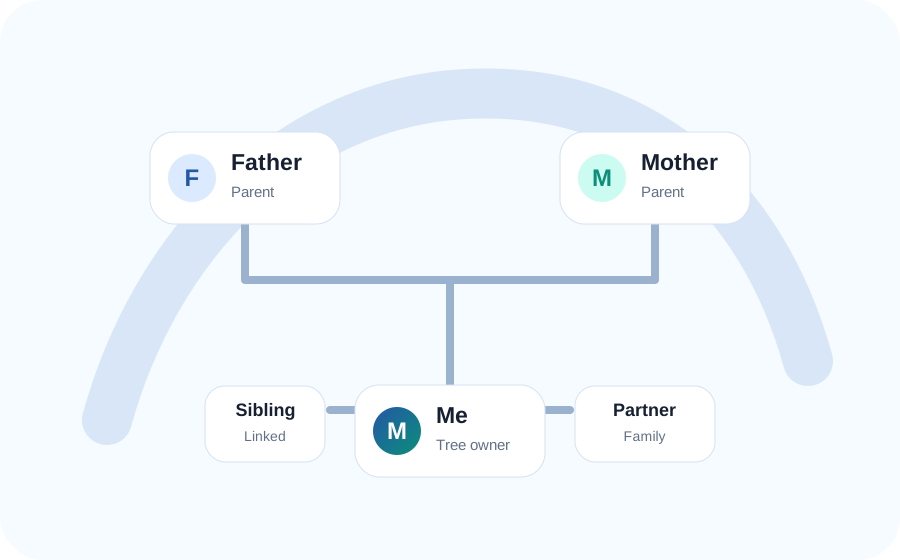
Add parents, children, partners, siblings and other family members directly from the editor. Link an existing person instead of creating a duplicate profile.
Create a clear, organised family tree without complicated software. Add parents, grandparents, partners, children, siblings, important dates and personal notes in one easy-to-use workspace.
Begin with one person and expand your family tree one relationship at a time. View connections between generations, update details whenever you discover something new, print your tree and export your information for safekeeping.
A family tree should be easy to create, understand and update. Malta Family Tree Maker brings the essential tools together in one clean workspace, so you can focus on documenting your family rather than learning complicated software.
Add parents, children, partners, siblings and other family members directly from the editor. Link an existing person instead of creating a duplicate profile.
Save full names, gender, birth and death information, personal notes and family connections. Add what you know today and update it later.
Export JSON backups, review family details in CSV format, create a basic GEDCOM file or print the visible tree from your browser.
Building a family tree is one of the simplest ways to understand where your family comes from and how different generations are connected. Our online family tree maker helps you organise this information visually without complicated installations or a lengthy registration process.
Start with yourself, a parent, a grandparent or another relative. Add people connected to that person, then continue upwards to explore ancestors or downwards to document children and grandchildren.
Your tree does not need to be completed in one sitting. It can grow over time as you speak with relatives, examine photographs, review family documents and discover new records.
Select a person in the family tree to review or update their information. Save the profile, then add a new relative or connect someone who already exists in your tree.
Take the project one step at a time and allow your family tree to grow as new information becomes available.
Begin with yourself or a close relative whose details you know well. Enter a name and any available birth or death information.
Add parents, partners, children and siblings before moving to grandparents, cousins, aunts, uncles and distant relatives.
Record dates, places, occupations, nicknames, schools, military service and stories that may help future research.
Check that every person appears in the correct generation and branch, especially where relatives have similar names.
Download a JSON backup after important changes and keep it in a safe personal storage location.
A visual tree makes it easier to see parents, children, partners, siblings, grandparents and different branches across generations.
Use personal notes to preserve careers, homes, traditions, migration stories, achievements, challenges and important events.
An organised tree shows which details are known and where further research is needed, helping you decide which relatives to interview or records to search.
Documenting names, connections and memories today gives children and grandchildren a meaningful starting point for understanding their ancestry.
Malta has a distinctive history shaped by migration, trade, faith, occupation and close family communities. Many people with Maltese roots now live across Europe, Australia, North America and other parts of the world.
A family tree can bring these branches together. Record more than a name wherever possible: parish, village, occupation, spouse, parents and approximate dates may help distinguish people who share common surnames.
Speak with older relatives before beginning formal research. They may remember nicknames, former addresses, family businesses, marriages, military history or relatives who moved overseas.
Malta Family Tree Maker can also be used by families with no Maltese ancestry. The tool is designed for anyone who wants to organise family relationships and preserve personal history in an accessible visual format.
Stay in control of your family information with practical export options for backup, review and transfer.
Use JSON for a structured, restorable backup that can be imported into the website again. Download a new copy after major changes.
Open names, dates and other details in common spreadsheet software to review missing information, sort records or share a simple list.
Create a starter GEDCOM file for compatible genealogy applications. Review transferred data carefully, especially with complex relationships.
Adjust the zoom and print the visible tree to paper or PDF. Larger trees may require multiple pages or a larger paper size.
Restore a previously exported JSON tree. Export the current version first if you need to preserve both copies.
Malta Family Tree Maker saves tree data locally in your current browser. You do not need to create an account, and your tree is not automatically published as a public profile.
Local browser storage is convenient, but it is not a permanent backup. Data may be lost if you clear browser storage, use private browsing, reset or uninstall the browser, change devices or experience device failure.
Read Our Privacy PolicyCreate a lasting record of parents, grandparents, children and extended family members.
Organise what you already know before beginning detailed ancestry research.
Build a clear family chart for a project or use it to start conversations at a family gathering.
Use the tree alongside certificates, photographs, interviews, letters, parish records and other historical sources.
Connect branches that have spread across different cities, countries and generations.
You can use the browser-based family tree builder without creating an account.
Your tree is saved locally in the browser you are currently using and does not automatically appear on another device.
Yes. Select a person and add a new relative or link someone who already exists in the tree.
Yes. You can print the visible layout and export JSON, CSV or a starter GEDCOM file.
JSON is the recommended format for creating a backup that can later be imported into the website.
Clearing cookies, site data or local storage may remove your saved tree, so export a backup first.
Start with one person. Add the relatives you know, record the details available today and allow your family tree to grow as you discover more.